Most schools don't decide to buy school ERP software on a quiet afternoon. They decide after a fee-reconciliation day that ran until 9 pm, a report-card week that ate every teacher's weekend, or a parent complaint that nobody knew their child was absent. This guide explains what a school ERP really is, which modules matter, and how to choose one that your staff will actually use.
What is school ERP software?
A school ERP (Enterprise Resource Planning) system is one platform that holds every record your school runs on — students, staff, fees, attendance, exams, timetables, transport and accounts — in a single database. Instead of an Excel file for fees, a register for attendance and a separate tool for SMS, everyone works on the same data, and each team sees only what it needs.
The real benefit is not the software itself. It is that information entered once flows everywhere: an admission creates the fee schedule, attendance triggers a parent alert, and exam marks become a report card without being typed again.
Core modules every school ERP should have
- Admissions and enquiries — capture leads from your website and walk-ins, track follow-ups, and convert them into admissions. See enquiry and lead management.
- Student information — one profile per student with documents, siblings, health notes and history.
- Fees and accounts — fee structures, concessions, receipts, online payment and defaulter tracking. See online fee collection and fee defaulter management.
- Attendance — manual, app-based, biometric or face recognition.
- Exams and report cards — marks entry, grading rules and printable report cards. See the report card generator.
- HR and payroll — staff records, leave and salary, ideally linked to staff attendance.
- Transport, library and hostel — if your school runs them.
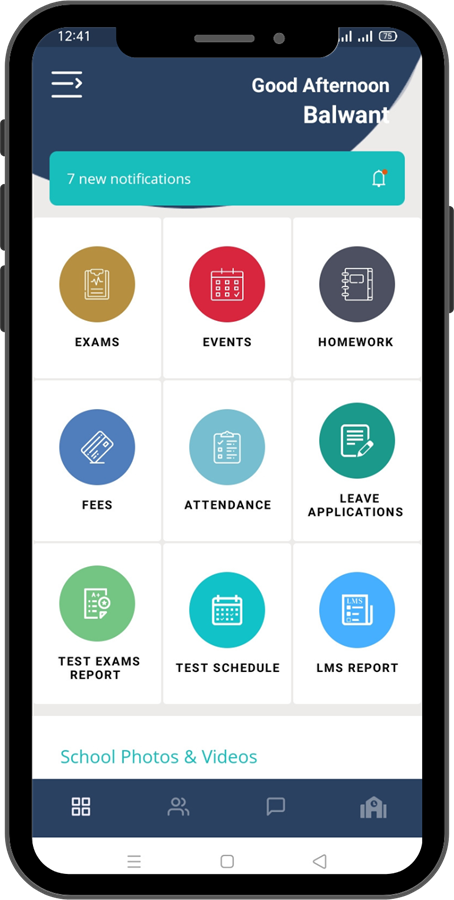
- Parent and teacher apps — so information reaches people where they already are. See mobile apps.
- Communication — WhatsApp, SMS and email alerts. See WhatsApp and email integration.
Features that separate a good ERP from an average one
1. It works for the accountant, not just the principal
Dashboards look good in a demo. What decides success is whether the fee clerk can collect a part-payment with a concession in under a minute. Ask the vendor to show real daily tasks, not just reports.
2. It talks to parents automatically
Fee reminders, absence alerts and circulars should go out without anyone pressing a button. Schools that automate WhatsApp fee reminders usually see collections improve because the reminder arrives on time, every time.
3. It uses AI where it actually saves time
Useful AI in a school ERP means drafting circulars, summarising a student's performance, spotting fee-default risk or answering student doubts — not a chatbot on the login page. Read more in AI-enabled school ERP: what AI actually does for a school.
4. It connects learning with administration
Many schools now want an LMS and online classes alongside administration. An ERP that includes them avoids a second login and a second database. See school ERP with AI tutor and LMS.
5. It grows with you
If you run more than one branch, or plan to, check that the ERP supports multiple schools with a group-level view, separate accounts per branch and shared masters.
How to compare school ERP vendors
- List your top five daily pain points before seeing any demo, and ask each vendor to solve those live.
- Check data migration. Who will move your existing student and fee data, and how long will it take?
- Ask about training and support — in which language, during which hours, and through which channel.
- Confirm data ownership. You should be able to export all your data at any time.
- Talk to a school similar to yours — same board, similar size, same city if possible.
- Understand the full cost — setup, per-student or flat fee, SMS/WhatsApp charges, and app publishing.
When is the right time to switch?
The smoothest time to move is between sessions — typically February to April for most Indian schools — so that the new session's fee structure and class allocation start in the new system. Mid-session switches are possible but need opening balances for fees and attendance to be migrated carefully.
Cloud or on-premise?
For most schools, cloud-based ERP is now the practical choice: no server to maintain, automatic backups, and access for parents and teachers from anywhere. On-premise makes sense only if you have strict policies or an in-house IT team.
Looking locally?
If your school is in the capital region, read school ERP software in Delhi: what Delhi schools should look for. For a broader view of the market, see school management system in India: how to choose.
How EdumaGix fits in
EdumaGix School ERP covers admission, attendance, fees, exams, HR, library, hostel, transport and accounts in one system, with parent and teacher apps, WhatsApp alerts and the Studia AI tutor and LMS. It is built by Dicor Infosystems, which has been building ERP software for Indian businesses for over two decades.
Want to see it with your own school's workflow? Book a free demo or check pricing.